top of page


All Posts
Search


How to post Tax to the Item GL account instead of the Tax Ledger Posting Group
Are you adding a “Sales Tax” line to purchase orders to post tax to the item’s General Ledger account? With a quick setup in D365 Finance and Supply Chain Management, you can eliminate that line and have the system post the tax amount directly to the item’s General Ledger account.
5 days ago2 min read


How to run the D365 Tax Engine Debugger
Tip of the Day: If you use the built-in tax engine under Globalization Studio in D365 Finance and Supply Chain Management, take advantage of its debugger. It works in every environment, including Production, is easy to use, and can save you significant time.
Oct 111 min read

Project Management and Accounting - How to setup and create intercompany Time on Projects
Do you share resources across legal entities on Projects? Check out the video below to see how to setup Intercompany Projects, Transfer Pricing, and generate Intercompany Invoices for both Accounts Receivable and Accounts Payable in D365 Finance and Supply Chain Management.
Sep 251 min read
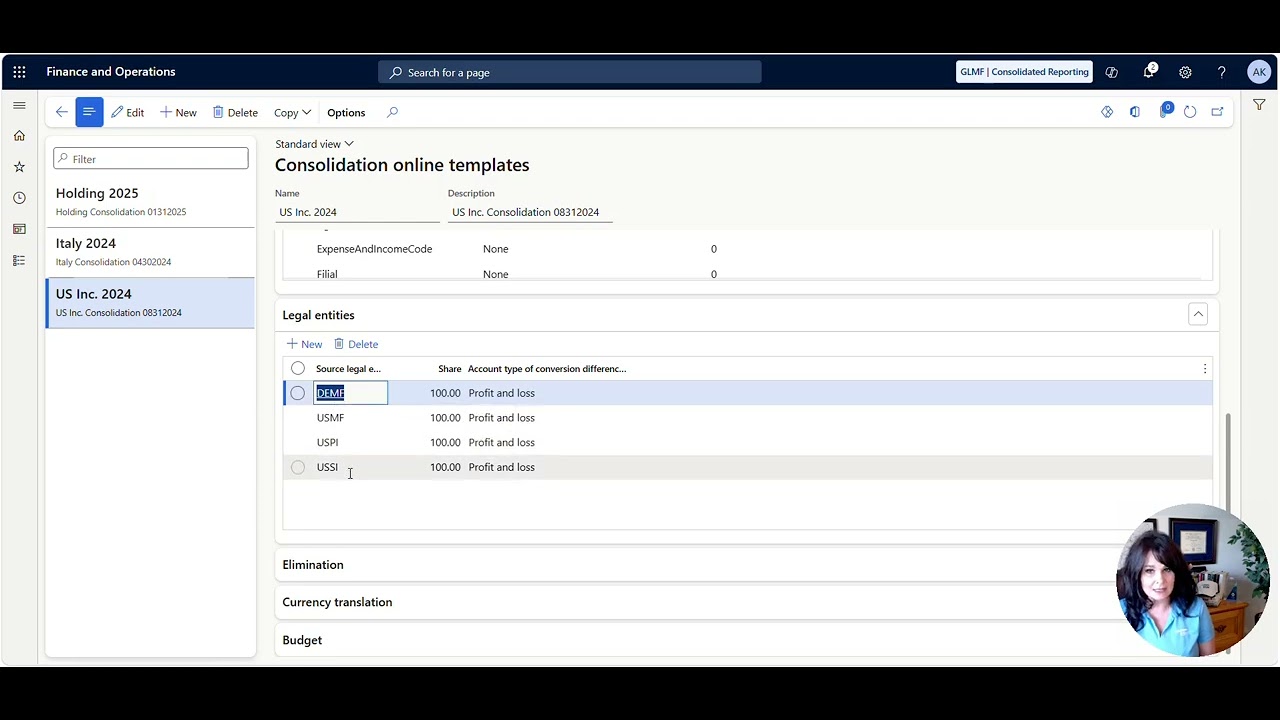
Overview of Eliminations and Consolidations
Tip of the Day: What to see an overview of Consolidations and Eliminations in Dynamics 365 Finance and Supply Chain Management? Check out the video below.
Sep 141 min read

How to do Intercompany General Journals
Thought of the Day: "When you start a new trail equipped with courage, strength, and conviction, the only thing that can stop you is you." - Ruby Bridges, an American civil rights activist who, at age six in 1960, became the first African American child to attend the all‑white school Tip of the Day: How do intercompany General Journals in Dynamics 365 Finance and Supply Chain Management? Check out the video below to see how it is done. Until next time, keep your head in t
Sep 141 min read

How to setup Centralized Vendor Payments
Want to setup centralized vendor payments in Dynamics 365 Finance and Supply Chain Management?
Aug 201 min read
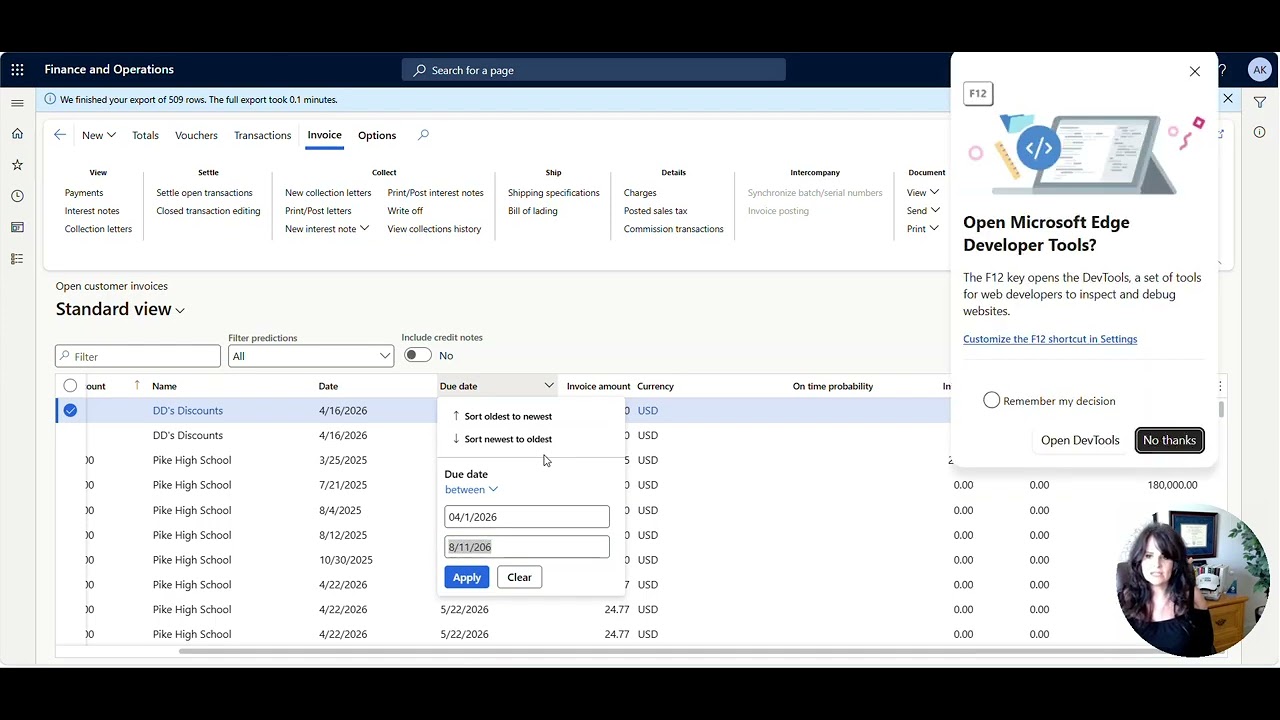
Need to write off low-value or aging customer invoices all at once?
Need to write off low-value or aging customer invoices in Dynamics 365 Finance and Supply Chain Management?
Aug 111 min read

How do I know if my FIFO value is correct?
Wondering where FIFO costing values come from? This post explains how Microsoft Dynamics 365 Finance and Supply Chain calculates FIFO cost and removes the guesswork. Watch the video below for details.
Aug 51 min read


How to View a Table in D365FO
To see the raw data table in D365FO, do the following. . . Install the Chrome Extension in your browser To add the Chrome extension https://chrome.google.com/webstore/detail/table-browser-caller-for/khhnlfooiiffofchhdhjopgpegcjlodk How to determine the table name There are multiple ways to see the table name. Some tables are easy, and some are more difficult to figure out. Form Name Sometimes the Form Name and the table name are the same. To get the record info, right-cl
Feb 161 min read

How to setup up the Expense Agent with Microsoft's Ajit Chandran
In simple terms, the Expense Agent Install Wizard is a guided, one‑stop wizard that helps you set up add‑on agents quickly and consistently—significantly reducing the time and effort required to get started. What was previously a complex, multi‑step deployment is now fully streamlined into a single, easy‑to‑follow flow.
Jan 192 min read

Supplier Communications Agent with Microsoft’s Senior Product Manager, Beatriz Nebot Garcia
The Supplier Communications Agent is designed to tackle one of procurement’s biggest headaches: the constant flood of supplier emails.
If your procurement team spends hours chasing supplier confirmations, sorting through emails, or updating purchase orders, this feature is about to change everything. Microsoft’s new agent uses AI to read supplier emails, understand what they mean, match them to the right purchase orders, and even automate follow‑ups freeing teams from repe
Jan 152 min read

How to add an attachment after submitting to workflow
Learn how to add an attachment after submitting in Microsoft Dynamics D365 Finance and Supply Chain. Watch the video below for details.
Jan 91 min read

How to setup an Alert on a Date field
Set up an alert on a date field in Microsoft Dynamics D365 Finance and Supply Chain to get advance end-date notifications. See the video below for details.
Jan 91 min read
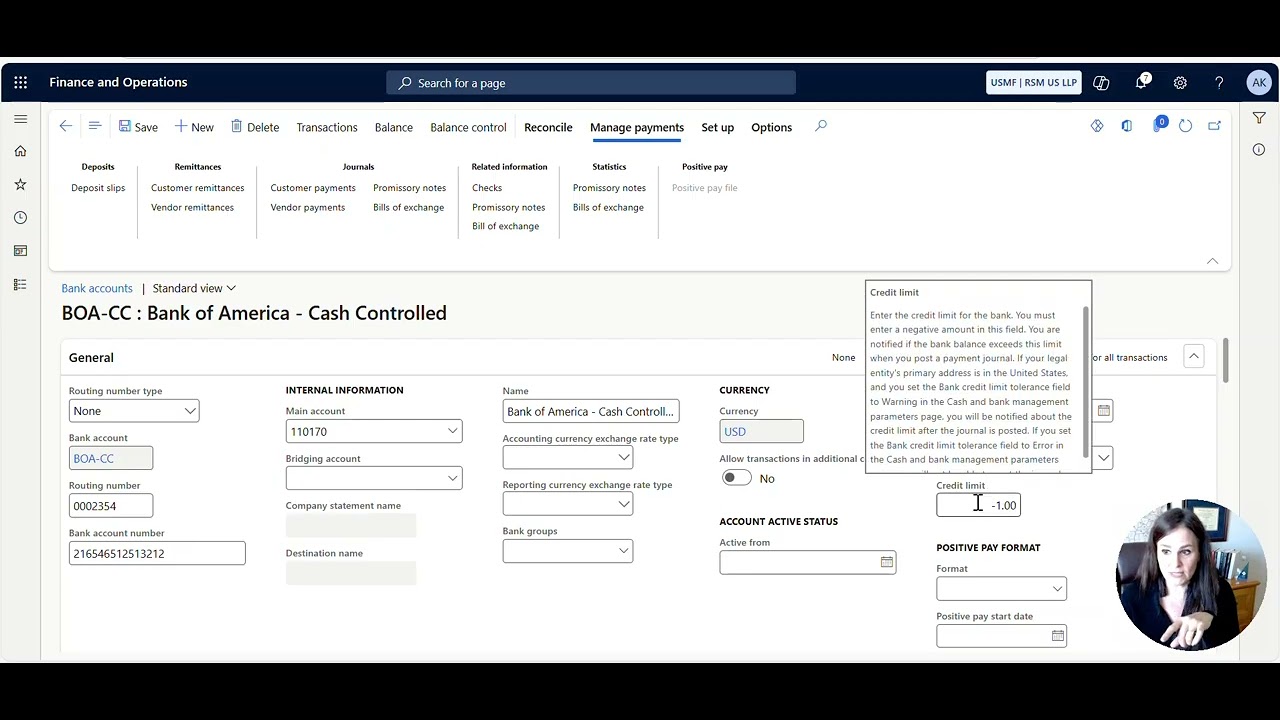
How to prevent your bank balance from going negative or resolve the “You cannot post the journal because the bank's credit limit has been exceeded” error
Learn how to prevent your bank balance from going negative or resolve the “You cannot post the journal because the bank's credit limit has been exceeded” error in Microsoft Dynamics D365 Finance and Supply Chain.
Jan 71 min read

Rory de Goede is on the Head in the Cloud Working Wise Podcast
Rory runs The Good Talent (www.thegoodtalent.co) and is a Microsoft Dynamics contract placement specialist - helping US end users, partners, and ISVs fill critical D365 Finance & Operations, Business Central, and Power Platform roles when they need expertise.
Jan 61 min read

Conflict Expert Marlene Chism is on the Head in the Cloud Working Wise Podcast
“To change the culture, you have to change the conversation.”
Jan 61 min read

Fixed Asset Intercompany Split & Transfer with Mohamed Aamer at Microsoft
Learn how you can easily move assets between companies, automate asset mapping, and streamline depreciation schedules. We’ll walk through key options for updating asset details, previewing book values, and using bulk editing tools. Tune in for practical tips on managing cross-company asset transfers and making your finance workflows smoother than ever.
Jan 31 min read

Author Jacquelyn Fletcher Johnson on the Head in the Cloud Podcast
What if you could get into a room full of decision makers?
Where you can meet the agents, editors, producers, and bookers who hold the keys to the big stage, the bright lights, and the green lights?
The Gateway Gathering & Pitch Fest is not just another virtual event. It's a doorway to the people who build platforms for visionaries and thought-leaders. If you're ready to get your ideas into the world in a bigger way, then let's get you through the gate.
Dec 23, 20252 min read

Bradley Thomas is on the Head in the Cloud Working Wise Podcast
With over a decade of experience as an accountant, Bradley’s career path took a fascinating turn when he entered the Microsoft ecosystem in 2020. Currently based in the UK and working for a global Medical Device manufacturer, he first made waves by joining the pivotal D365F&O implementation in 2022. After the project’s successful Go-Live, Bradley didn’t just settle, he advanced into the UK Financial Controller position before transitioning into the company’s Financial Systems
Dec 22, 20251 min read

Reconciliation Workspace + Intelligent Agent with Brian King at Microsoft
Microsoft Dynamics 365 Finance (D365 FO) continues to elevate the financial close with its modern Reconciliation Workspace and the AI‑powered Account Reconciliation Agent. The workspace provides a proactive hub for identifying and managing reconciliation exceptions—moving teams away from reactive, report‑driven processes and toward a continuous close model. The Reconciliation Agent takes this a step further by automatically evaluating exceptions, suggesting recommended action
Dec 18, 20251 min read
bottom of page