top of page


All Posts
Search

Exploring the Expense Agent with Microsoft's Ajit Chandran
The Expense Agent is an AI powered capability in Dynamics 365 that automates key steps in expense management—saving employees time and improving reporting accuracy. It analyzes receipts, extracts details, auto matches them with transactions, and can itemize complex receipts such as hotel stays. The agent can also generate expense reports on a scheduled basis and surface them to users for quick review and submission through Microsoft Teams or finance and operations apps.
Jan 212 min read
How to setup up the Expense Agent with Microsoft's Ajit Chandran
In simple terms, the Expense Agent Install Wizard is a guided, one‑stop wizard that helps you set up add‑on agents quickly and consistently—significantly reducing the time and effort required to get started. What was previously a complex, multi‑step deployment is now fully streamlined into a single, easy‑to‑follow flow.
Jan 192 min read

Supplier Communications Agent with Microsoft’s Senior Product Manager, Beatriz Nebot Garcia
The Supplier Communications Agent is designed to tackle one of procurement’s biggest headaches: the constant flood of supplier emails.
If your procurement team spends hours chasing supplier confirmations, sorting through emails, or updating purchase orders, this feature is about to change everything. Microsoft’s new agent uses AI to read supplier emails, understand what they mean, match them to the right purchase orders, and even automate follow‑ups freeing teams from repe
Jan 152 min read

How to add an attachment after submitting to workflow
Learn how to add an attachment after submitting in Microsoft Dynamics D365 Finance and Supply Chain. Watch the video below for details.
Jan 91 min read

How to setup an Alert on a Date field
Set up an alert on a date field in Microsoft Dynamics D365 Finance and Supply Chain to get advance end-date notifications. See the video below for details.
Jan 91 min read
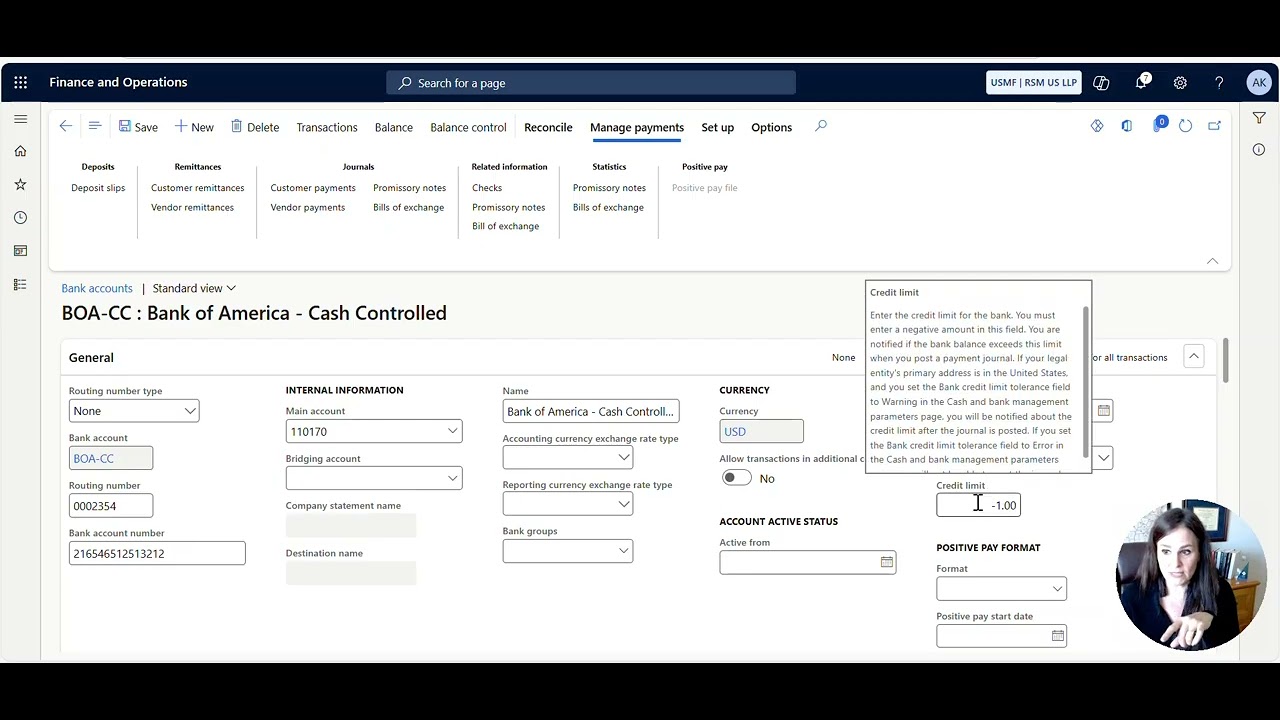
How to prevent your bank balance from going negative or resolve the “You cannot post the journal because the bank's credit limit has been exceeded” error
Learn how to prevent your bank balance from going negative or resolve the “You cannot post the journal because the bank's credit limit has been exceeded” error in Microsoft Dynamics D365 Finance and Supply Chain.
Jan 71 min read

Rory de Goede is on the Head in the Cloud Working Wise Podcast
Rory runs The Good Talent (www.thegoodtalent.co) and is a Microsoft Dynamics contract placement specialist - helping US end users, partners, and ISVs fill critical D365 Finance & Operations, Business Central, and Power Platform roles when they need expertise.
Jan 61 min read

Conflict Expert Marlene Chism is on the Head in the Cloud Working Wise Podcast
“To change the culture, you have to change the conversation.”
Jan 61 min read

Fixed Asset Intercompany Split & Transfer with Mohamed Aamer at Microsoft
Learn how you can easily move assets between companies, automate asset mapping, and streamline depreciation schedules. We’ll walk through key options for updating asset details, previewing book values, and using bulk editing tools. Tune in for practical tips on managing cross-company asset transfers and making your finance workflows smoother than ever.
Jan 31 min read

Author Jacquelyn Fletcher Johnson on the Head in the Cloud Podcast
What if you could get into a room full of decision makers?
Where you can meet the agents, editors, producers, and bookers who hold the keys to the big stage, the bright lights, and the green lights?
The Gateway Gathering & Pitch Fest is not just another virtual event. It's a doorway to the people who build platforms for visionaries and thought-leaders. If you're ready to get your ideas into the world in a bigger way, then let's get you through the gate.
Dec 23, 20252 min read

Bradley Thomas is on the Head in the Cloud Working Wise Podcast
With over a decade of experience as an accountant, Bradley’s career path took a fascinating turn when he entered the Microsoft ecosystem in 2020. Currently based in the UK and working for a global Medical Device manufacturer, he first made waves by joining the pivotal D365F&O implementation in 2022. After the project’s successful Go-Live, Bradley didn’t just settle, he advanced into the UK Financial Controller position before transitioning into the company’s Financial Systems
Dec 22, 20251 min read

Reconciliation Workspace + Intelligent Agent with Brian King at Microsoft
Microsoft Dynamics 365 Finance (D365 FO) continues to elevate the financial close with its modern Reconciliation Workspace and the AI‑powered Account Reconciliation Agent. The workspace provides a proactive hub for identifying and managing reconciliation exceptions—moving teams away from reactive, report‑driven processes and toward a continuous close model. The Reconciliation Agent takes this a step further by automatically evaluating exceptions, suggesting recommended action
Dec 18, 20251 min read

Coach Megan Walsh is on the Head in the Cloud Working Wise Podcast
Head in the Cloud Working Wise Podcast with Megan Walsh
Dec 17, 20251 min read

Duncan Stocks is on the Head in the Cloud Working Wise Podcast
Head in the Cloud Working Wise with Duncan Stocks
Dec 16, 20251 min read

Using the Costing Sheet to apply overhead costs to purchased items
Thought of the Day: "Start with the best opportunity available to you. If you make the most of what you have in front of you right now, better opportunities will become available as you go along." - James Clear Tip of the Day: Do you need to add overhead costs to items you've purchased? In Microsoft Dynamics D365 Finance and Supply Chain, you can use the costing sheet to split overhead costs and allocate them to different general accounts and financial dimensions. For furthe
Dec 5, 20252 min read
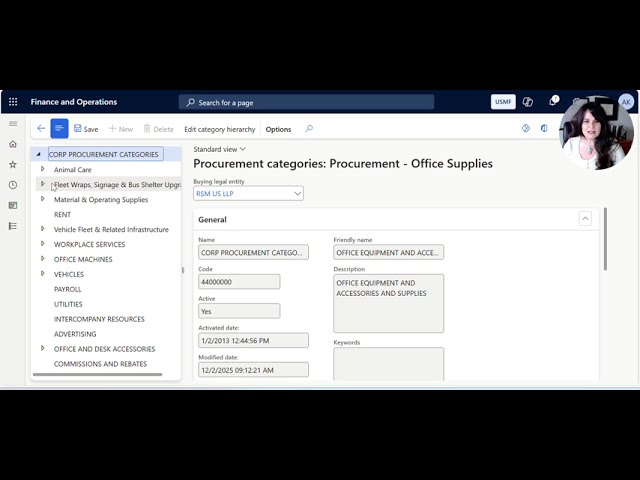
Why can't I see the Procurement Category on a Requisition or Purchase Order?
In Microsoft Dynamics D365 Finance and Supply Chain, have you ever configured a new procurement category but found that it does not appear on a Requisition or Purchase Order? There is likely one setup step missing. Please watch this video to learn the necessary actions to resolve this issue.
Dec 2, 20251 min read

Microsoft's AI expert, Ragnar Pitla, is on the Head in the Cloud Working Wise Podcast
Today’s guest is one of the leading voices shaping how enterprises move from traditional systems to AI-first, agentic operations.
Ragnar Pitla is a Principal Program Manager at Microsoft, working in the Agent POD where he helps organizations adopt AI-driven workflows without adding complexity.
Dec 2, 20252 min read

Financial Period Close Workspace: Why can everyone see the tasks but me?
Thought of the Day: "In times of stress, the best thing we can do for each other is to listen with our ears and our hearts and to be assured that our questions are just as important as our answers.” - Fred Rogers (aka Mister Rogers) Tip of the Day: If you’re in the Financial Period Close Workspace in Microsoft Dynamics D365 Finance and Supply Chain and everyone can see the tasks but you, don’t despair! Here’s what to do instead. Understanding the Financial Period Close Work
Nov 19, 20252 min read
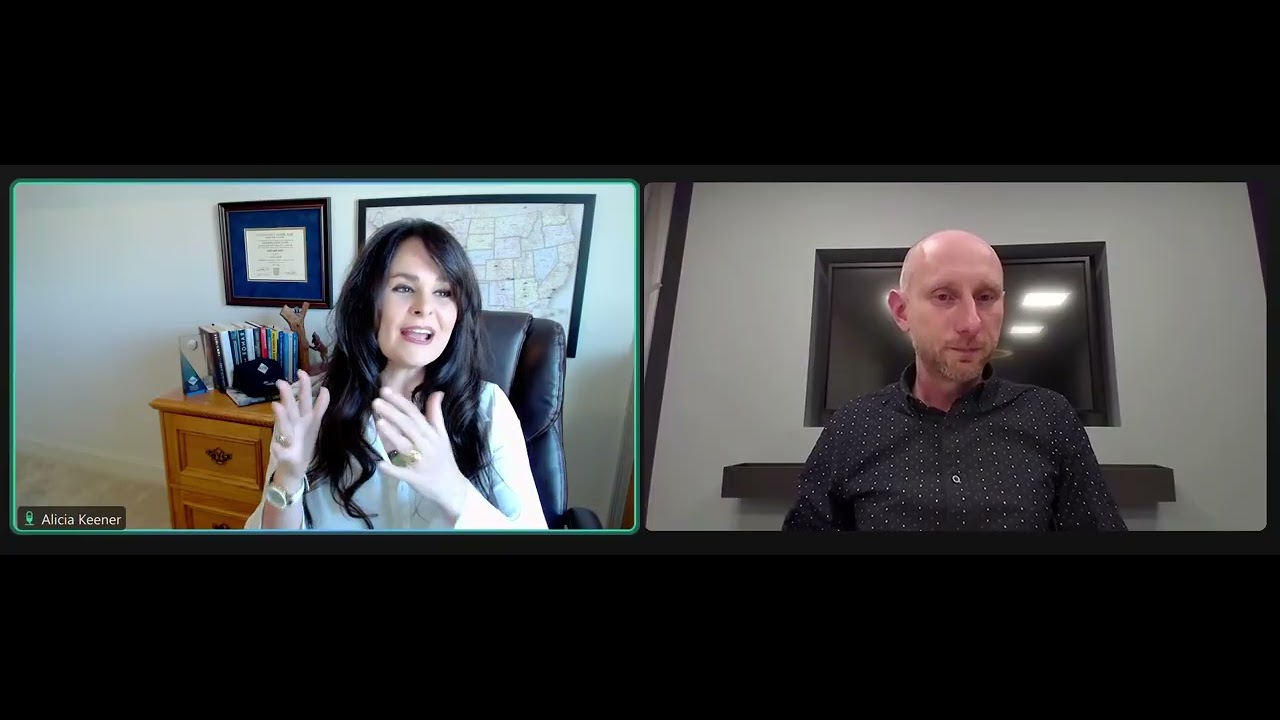
Microsoft MVP, Hylke Britstra, is on the Head in the Cloud Working Wise Podcast
Hylke began his journey with AX in 2006. Since then, he followed the evolution from Axapta to AX to the current Dynamics 365 for Finance and Operations (D365FO) ecosystem.
Nov 19, 20252 min read

Head in the Cloud Working Wise Podcast
Come on the journey with us as we explore real-life stories of highs and lows to the path of success on the Head in the Cloud Working Wise Podcast! To advance your consulting skills, let me share my Microsoft Dynamics D365 F&SC expertise with you by signing for my post notifications at www.aliciamvp.com or subscribe to my YouTube Channel @aliciakmvp MVP Contributor ID = ? wt.mc _id=MVP_346423 #microsoftdynamics365 #d365fo #d365fsc #d365fscm #microsoft #intraclouddynamics
Nov 19, 20251 min read
bottom of page